TL;DR
Buy a cheap Gigabit switch and connect all of your players via Ethernet. If possible, your players should be on Windows only. Crank the A/C the day before the event. Play older casual games, and avoid e-sports titles/modern AAA games. Bring lots of snacks, and plan your power needs ahead of time. Use Challonge for tournament brackets. For file sharing, consider using LANBucket.
Intro
I have been throwing LAN parties, or attending them for over 15 years now. During that time, I have built up some tribal knowledge of what it takes to throw a successful LAN party. This guide assumes a couple of things:
- Your party is somewhere between 5 and 32 guests. Anything smaller is really just “casually hanging with the fellas” and anything larger gets into serious event planning territory.
- You are predominantly looking to play on PC. While I do like to mix in some console games occasionally, if you are looking for a guide on how to host an Xbox 360 LAN for example, you will need to look elsewhere.
- You are going to be hosting in a house or apartment, and not a rented event space. I have no experience with that. I have only ever hosted LANs at someone’s house, in a basement, garage, etc.
- You are only going to be inviting friends, or friends of friends, and not members of the public. I have never been to a public LAN, and the advice I have might not apply if you are playing with strangers.
As a host your responsibility is to do your best to ensure everyone has a good time. What you don’t want to be doing is running back and forth trying to fix problems on the day of. With a little bit of planning, you can eliminate many of the common pitfalls that home LAN parties face.
AI Disclaimer
LLM tools were used for minor corrections, as well as to generate the visualizations used throughout this post. Otherwise, this is all human written.
Who, When, Where, Why
Why a LAN party?
The art of the LAN party has certainly been in decline for the last 20 years or so. Home internet connections have gotten much faster, so the original purpose of the LAN, low-latency multiplayer, is no longer relevant. Additionally, it is something of an ordeal to lug your PC setup across town, to do something you could have done from your couch. What I will counter with is that absolutely nothing will compare to the energy of playing in the same room, and these days it is no secret that in person connection is harder and harder to come by.
Where
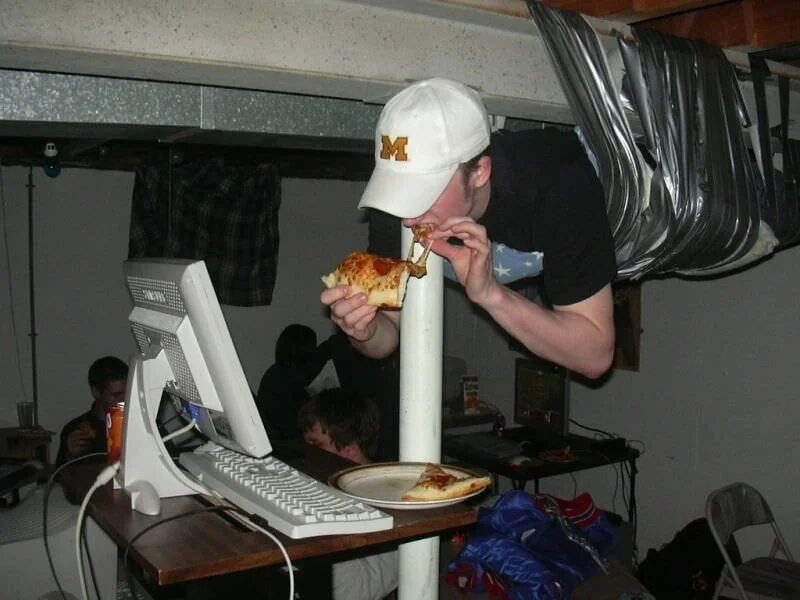
This is hopefully the easy part: anywhere with space for a couple tables and chairs. Though I have been fortunate to live in several houses with large central spaces, I have also been to LANs in cramped basements, and once in my college dorm. Large cavernous event halls, like you may see on social media, are not required to have fun at a LAN. If you don’t have enough space and still want to host, ask around; someone might be willing to let you use their space, as long as you do all the work. Believe it or not, I have done this exact thing more than once!
Who
Personally, I have only been to LANs attended by personal friends and acquaintances. While there are some surviving public LAN parties, I would not recommend inviting strangers into a personal home. I also recommend keeping the invite list strictly to those “gaming.” If you invite people who are going to come just to “hangout” they will take up valuable floor space, and distract your gamers from why you actually invited them. With that said, I still encourage you to get people who are slightly outside of their comfort zone, and not exactly the hardcore gamer stereotype. If you play more casual, lowkey games you will cast a wider net in terms of who might want to come to your party.

When
This one depends a lot on how old you and your guests are. When I was in high school our LANs were almost always 24 hour events. One trick that I recommend to any teenagers wanting to throw a LAN is to wait for a school halfday that lands on a Friday. This way you can start your party early in the afternoon, finish Saturday morning, and everyone will have all day Sunday to recover before school.
Now that I’m in my late 20s, by about hour 10 my back hurts too much to want to keep going. We generally start around noon, and play until 11pm or so. Read the room, and see what your players want to do.
For scheduling, I normally use Partiful. It’s an easy way to get a group together, invite players, and find a date that works for everyone. Most importantly, it allows you to send mass text messages to your group, so you can easily inform everyone of schedule changes, as well as send text message reminders leading up to the event. I am not sponsored by them or anything; I just think their product works well for my needs. Partiful is free but they make their money by attempting to upsell you on catering services and DJs, etc., which you can just ignore.
One last note about human psychology: in my experience, if you schedule the LAN too far in advance, people will actually forget about it, and double-book themselves. Most people do not naturally reason about their social calendar beyond about 1 month, so that’s the amount of lead time I would recommend for most groups. Now there are exceptions to this rule, especially for groups with older players who may need to plan around their children’s calendars, but in my experience 30 days has been the sweet spot.
How
The rest of this article describes the “How” of running a successful LAN party. Use the navigation bar (or above on mobile) to skip ahead to sections that interest you most.
Seating
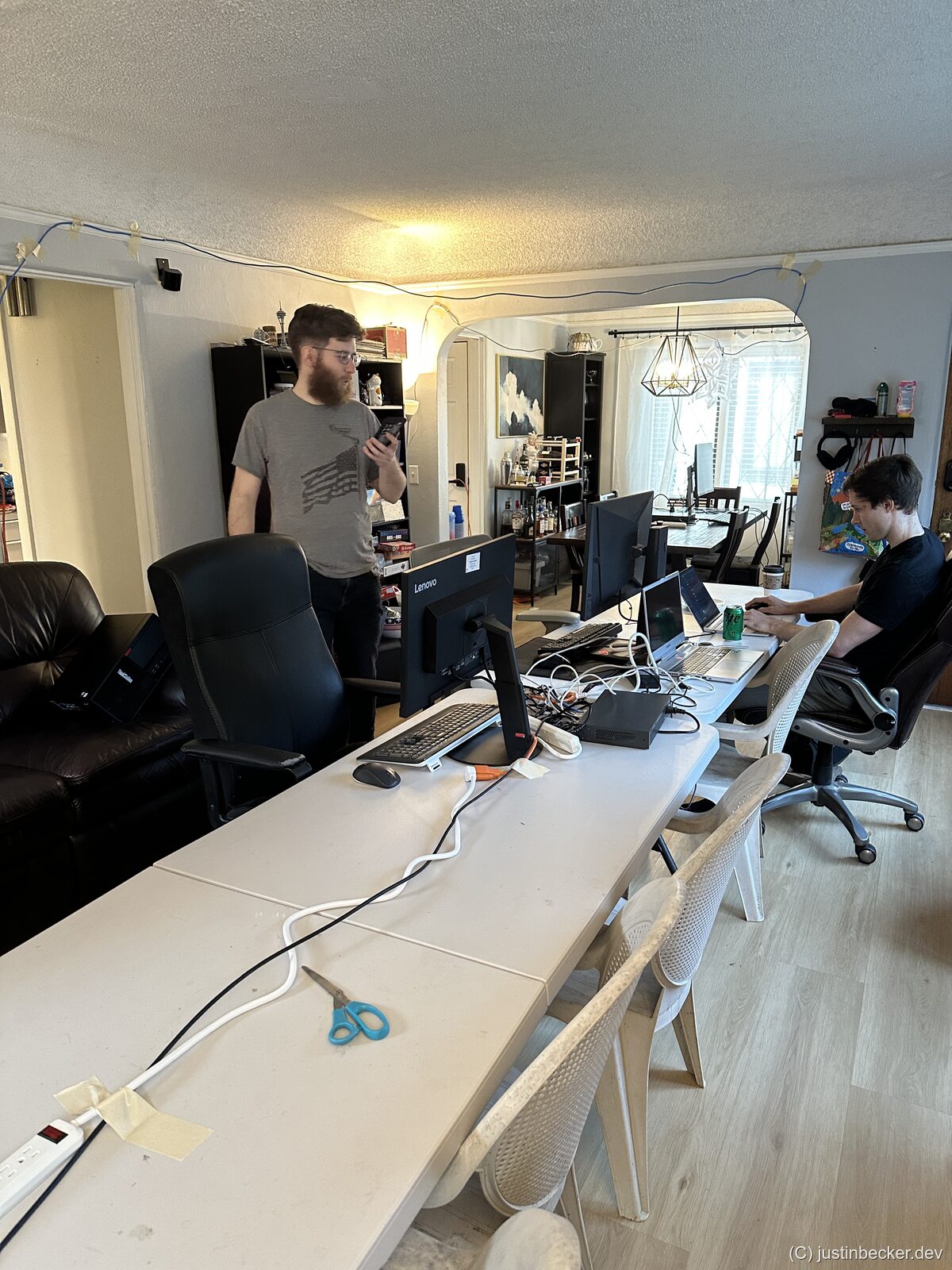
I recommend folding tables. While dining tables can work, they have drawbacks. Most notably, they are often “nice” surfaces that you don’t want to ding up or get duct tape on. Plastic folding tables are great, primarily because you don’t care about them, and at the end of the party you can clean them off with the garden hose. Easy-peasy.
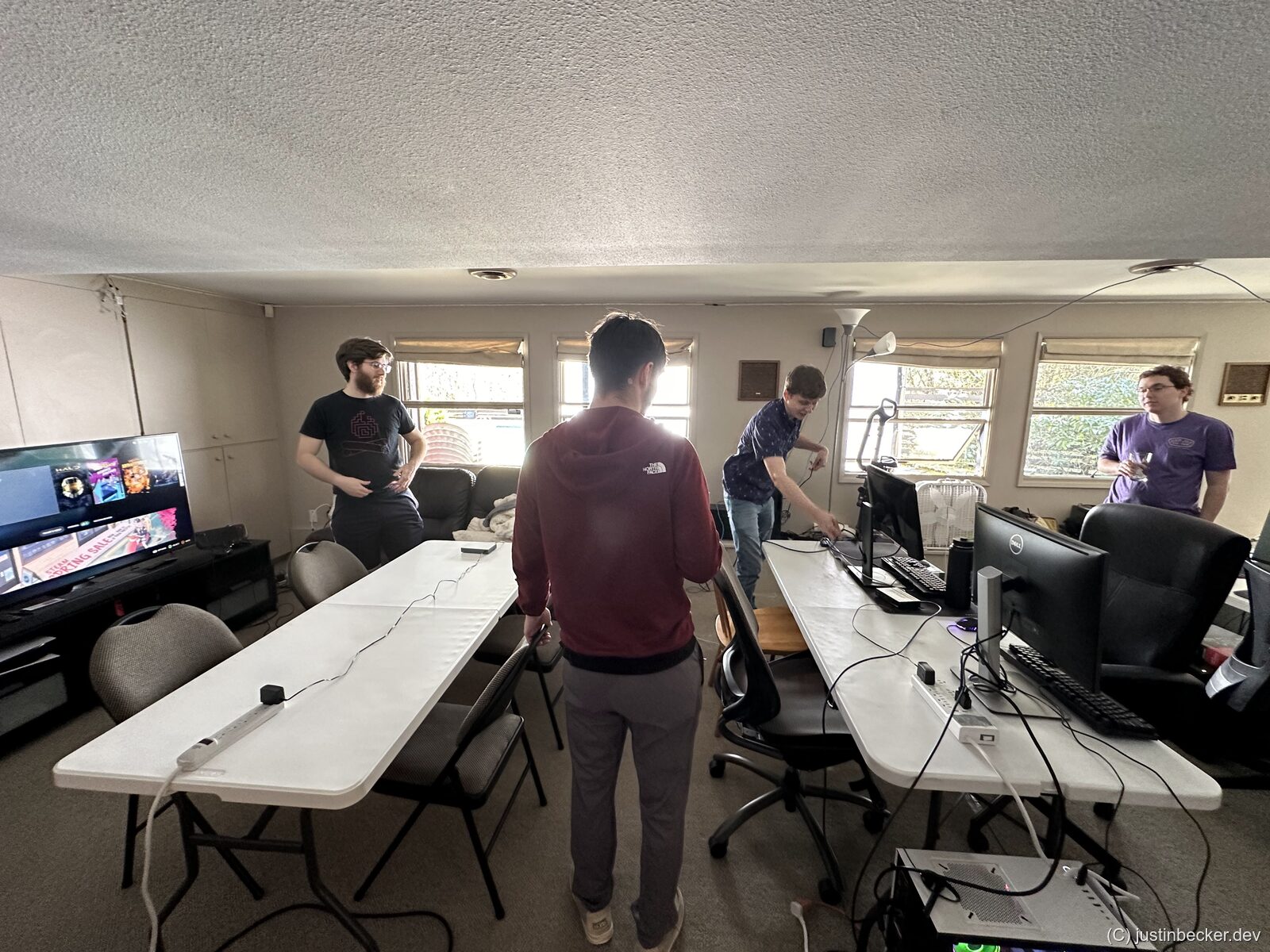
I have tried a number of configurations, but the setup I found the most fun was when all of the players could sit in a long line of tables like this:
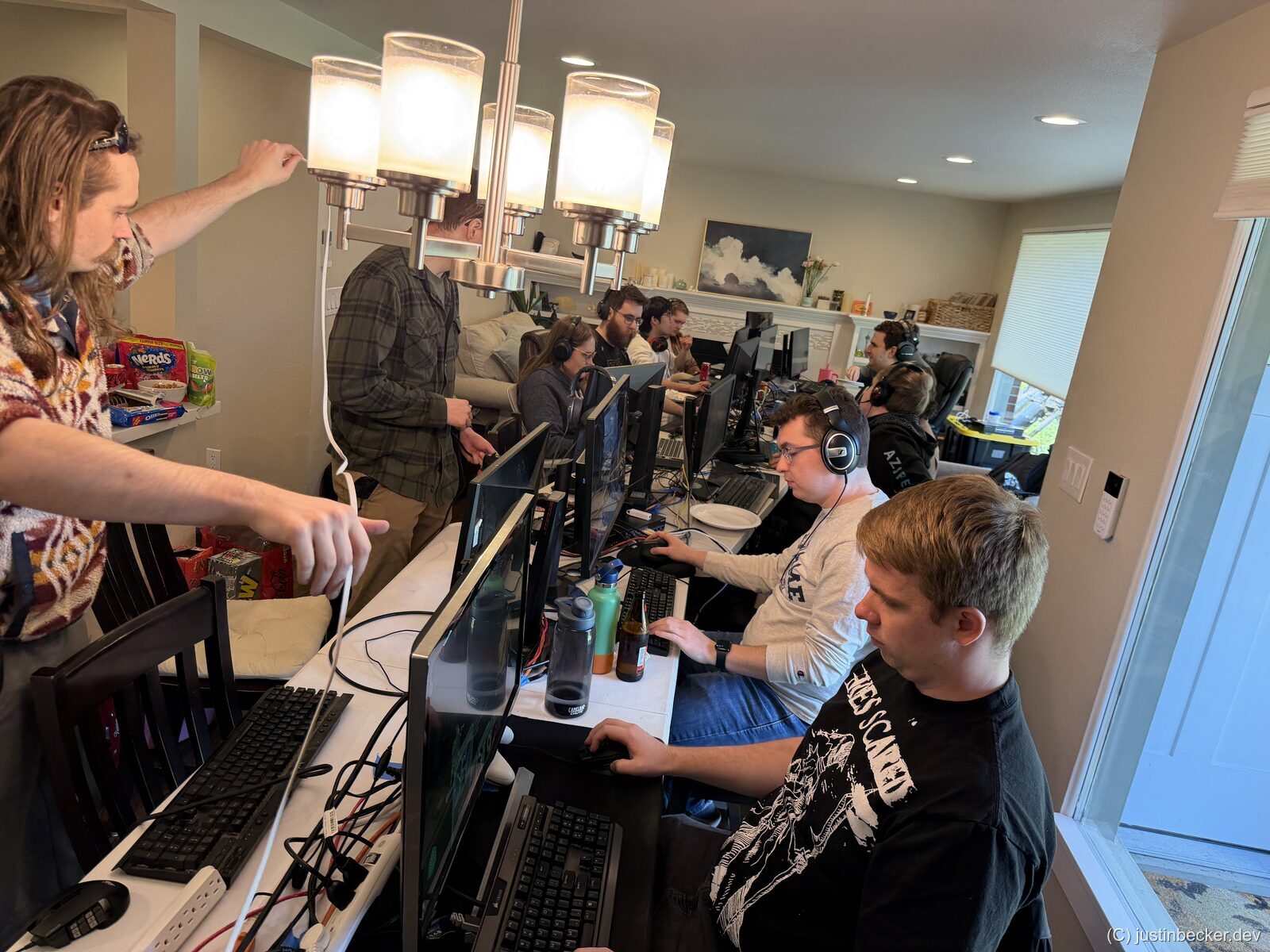
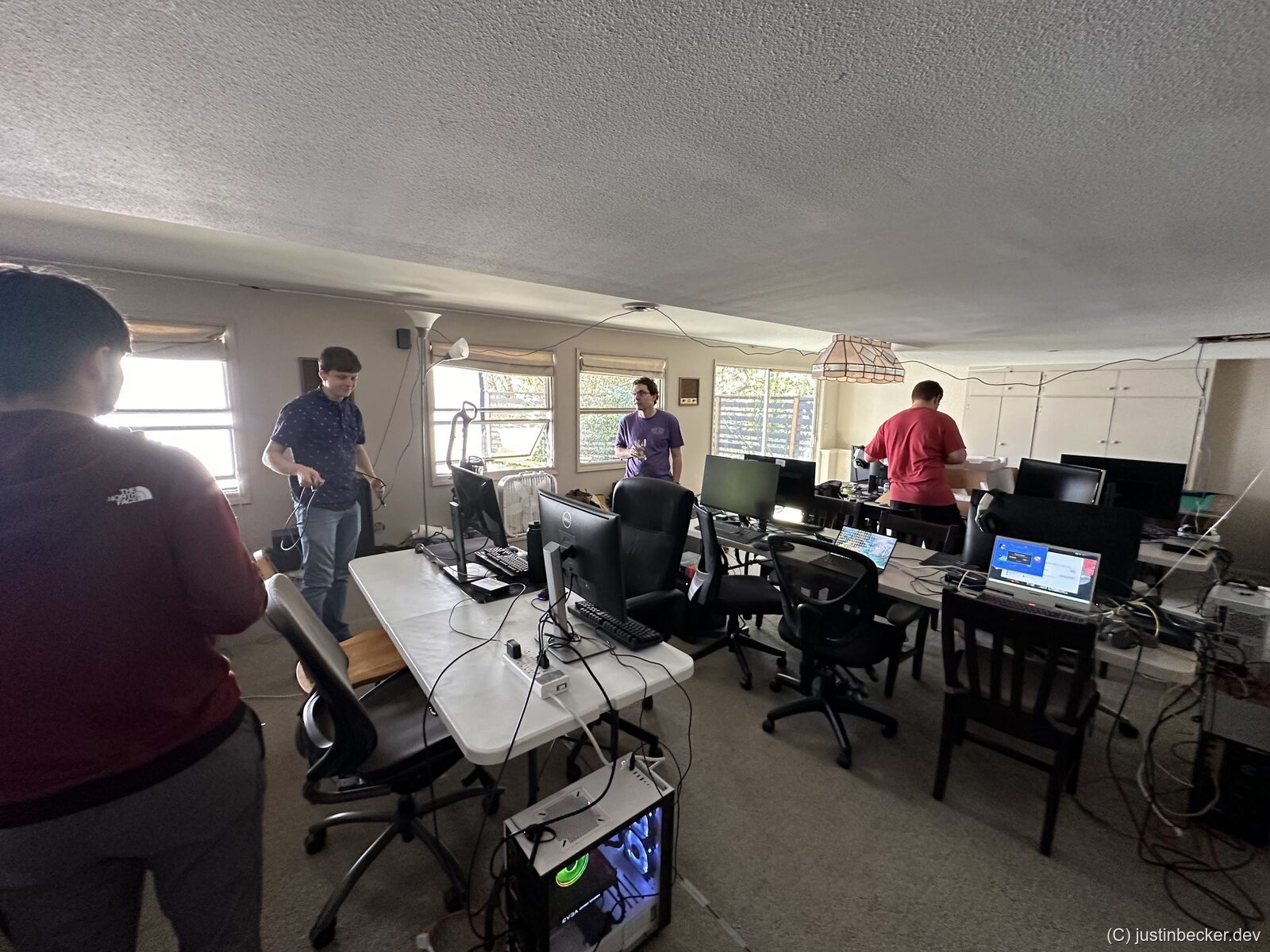
This setup promotes a more social group dynamic where everyone feels included in the festivities. Also having the two sides like this meant we could easily divide into two teams for games where screen peeking matters. Compare that setup to this one:
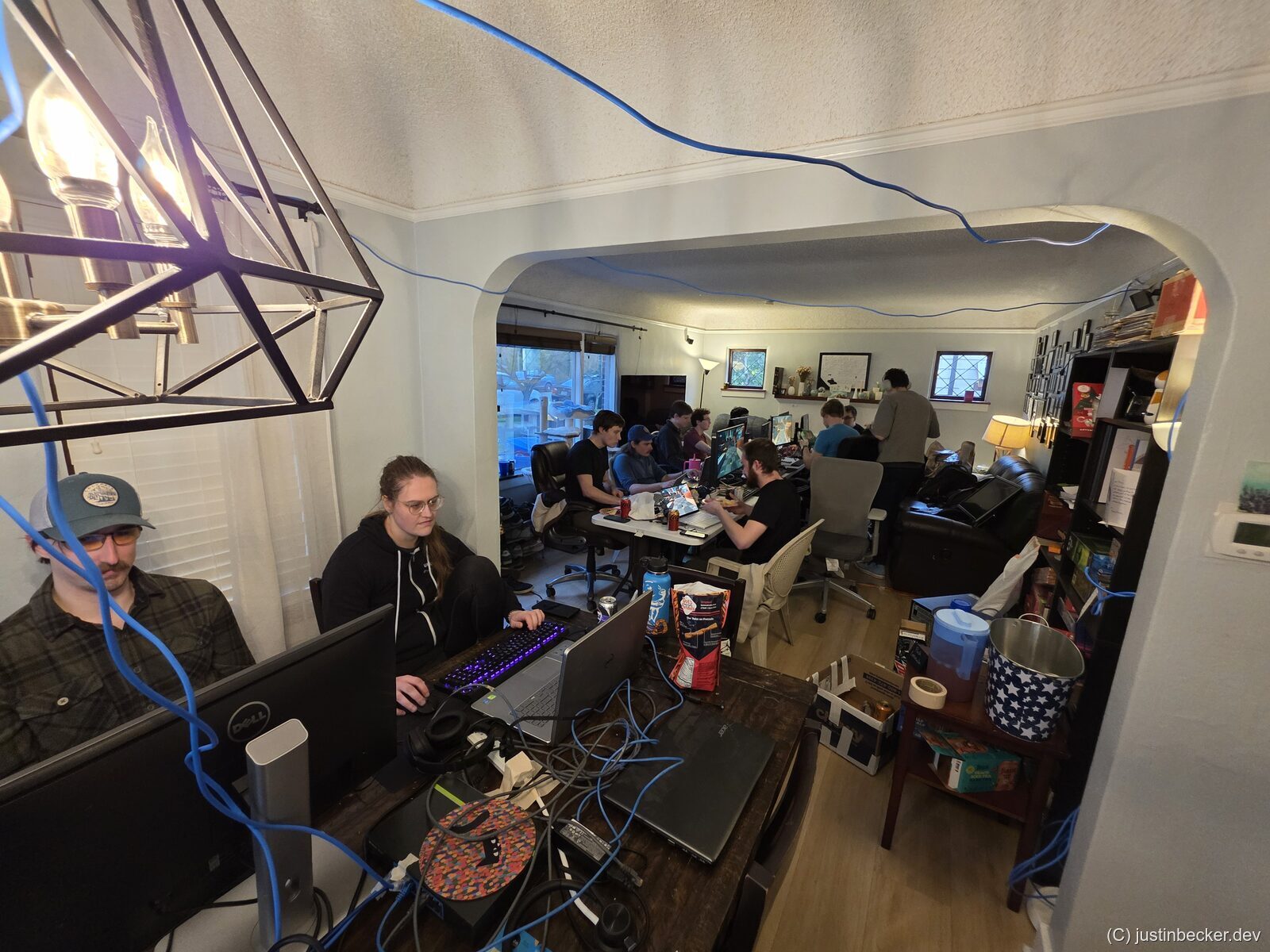
In this layout these two players on the “overflow” table felt like they had been exiled from the festivities. I try to avoid this problem when possible. Admittedly, my living space is unusual, and most houses won’t have a space big enough for all of your players to be set up linearly like this. An alternative layout is to have a handful of rows spaced out by a couple feet like this:
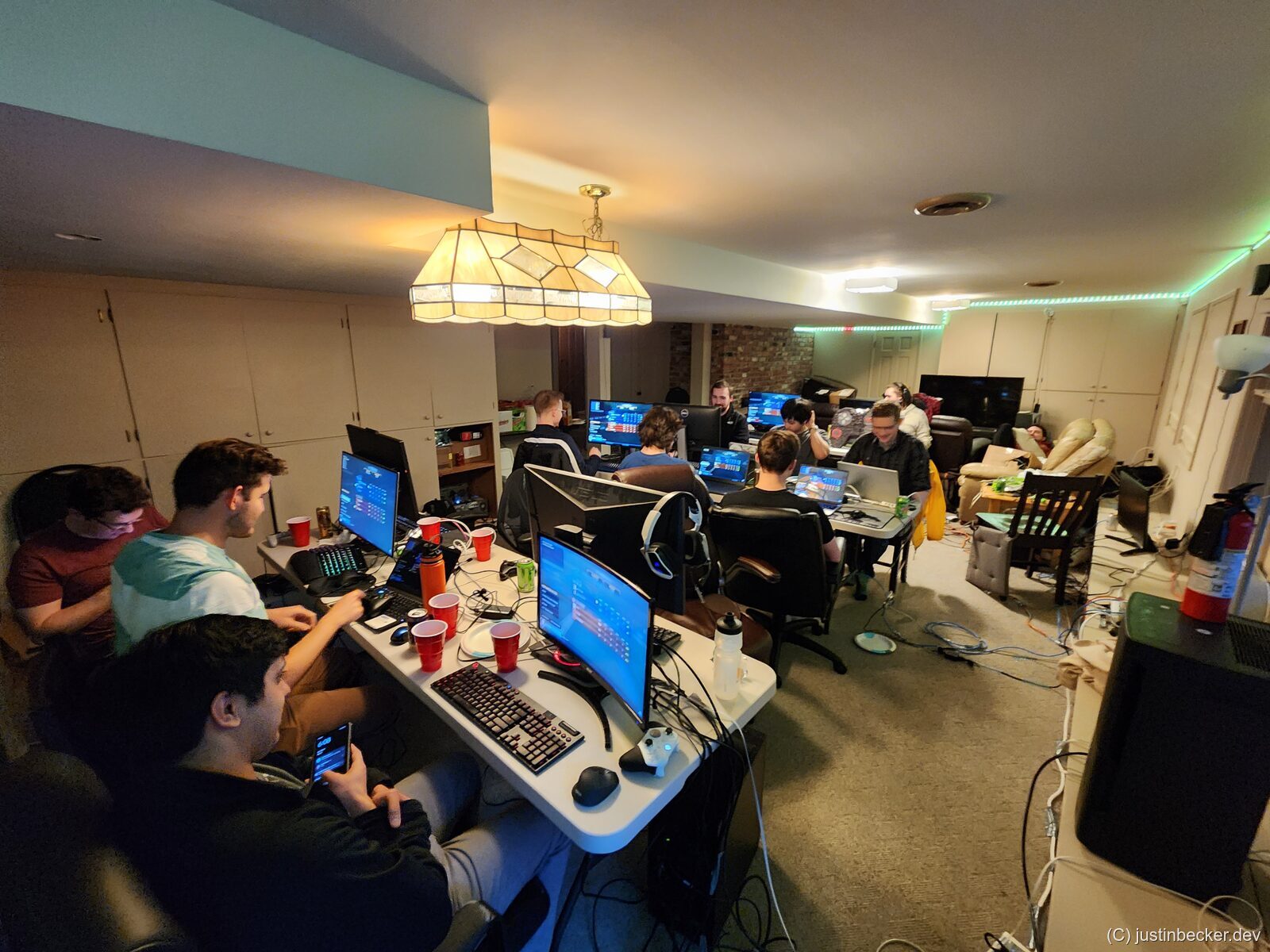
This layout works better in rooms of certain shapes, but you end up creating a bunch of islands of socialization. You basically need a seating chart, like at a wedding reception, to figure out who will vibe well with who. It can work, but I don’t like it as much.
For the actual seating, I recommend folding chairs if you are in a larger group. Proper desk chairs are much more comfortable, but they take up a lot more space. They are also cumbersome to move around. Folding chairs are relatively inexpensive. At time of writing, this padded chair is available for ~$23/each at Costco. If you are on a budget, check Goodwill, or other thrift stores in your area. We have found folding chairs at these stores for $4/each before. One thing to watch out for: if your play space has hardwood floors, folding chairs will slide around and scratch them up. Stick some felt pads on the chair feet before the event.
I find that at a standard 6 foot folding table, you can comfortably seat four players like so:
Or at an 8 foot folding table, you can seat six players, but only if most of the players are on laptops:
Another advantage of folding tables, which you can see in these renderings above, is that you can route cables between the folding tables by leaving a gap between two adjacent tables. If you were using a larger wooden table you would need to drill holes in the middle of the table to get the same effect.
Networking
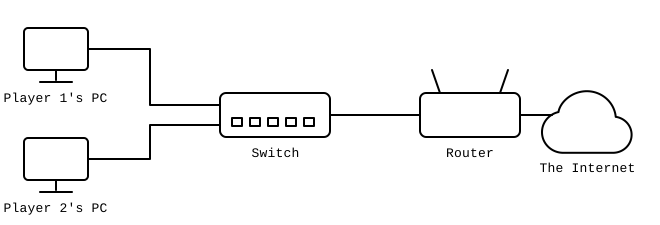
This sounds like it should be complicated, but I assure you that it is not. If you are the LAN party type, then you have probably seen videos of extravagant networking setups from the likes of Linus Tech Tips, including multiple servers, expensive fiber optics, caching services, etc. You do not need any of this. All you need is an unmanaged gigabit Ethernet switch with enough ports for all of your players. This equipment is very cheap these days. I recommend this model from TRENDnet: TEG-S17D. At time of writing this costs $58. I cannot stress enough how important it is to buy a “switch” and not a “hub”. Hubs are cheaper, but also much slower. The best way to think of it is that a hub acts as if all of your players are sharing the speed of one ethernet cable, but a switch allows everyone to run at full speed on their own cable. Also, I highly recommend buying an unmanaged switch. Managed switches act more like routers in a way, since they will have a management portal (a website or an app), where you can change settings. If you are a beginner to all of this, you will not need the features of a managed switch, and might shoot yourself in the foot. At a LAN party I hosted in high school I used some managed switches I bought at a yard sale without understanding what I was doing, and a couple hours in the network completely collapsed. Learn from my mistake, save yourself a couple bucks, and just buy an unmanaged switch.
In terms of setup, this is super easy. Plug the switch into power. Then plug an ethernet cable into each user’s computer. Then plug one ethernet cable into your existing internet router / modem. Really nothing to it.
Can I daisy chain switches?
Yes, with a caveat. You can daisy chain as many ethernet switches as you want, but you can NEVER create a loop. Loops are possible with fancy managed switches, but require expert setup. If you do create a loop, your network will drop out until you unplug the offending ethernet cable.
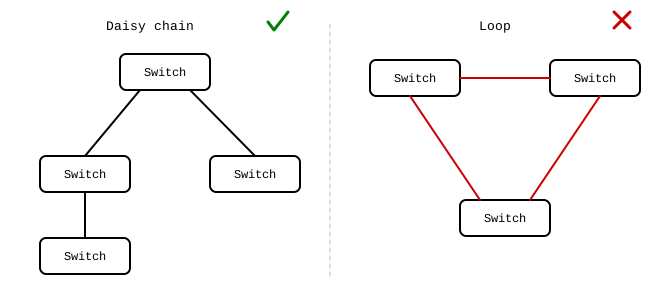
While using multiple small, cheaper switches might be tempting, the connections between the switches will become bottlenecks. This will matter quite a bit if you are doing lots of file sharing. For that reason I recommend just using one big switch that everyone can connect to.
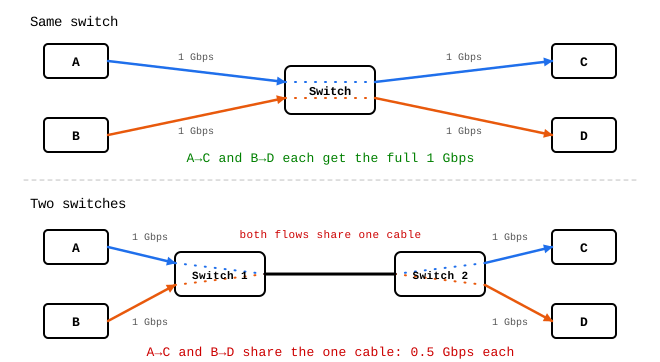
This is a simple diagram illustrating the problem with four machines and two switches, but the degree of the problem grows as you add more switches and machines.
What about WiFi?
Do whatever you can to avoid WiFi. While WiFi is convenient, it has led to more headache over the years than it is worth. The trouble with WiFi is scalability. While your home network might perform just fine with you and your spouse (+ kids?) when you cram 16 players in one room, it can bog down. The fundamental problem is that WiFi uses something called “time division multiplexing” which is a big scary word for “everyone takes their turn.” Basically, on each WiFi channel, only one device can talk at once. For most uses this is still an acceptable tradeoff, but for low-latency gaming the performance cost can be severe. The other problem with WiFi is compatibility. For reasons that are mysterious to me, I have seen lots of issues in games over the years where WiFi users couldn’t connect to each other, or WiFi users could connect to each other but not Ethernet users, or WiFi users could only connect to some subset of the other users. It’s a debugging nightmare, and not what you want to be dealing with on the day of your party. Unfortunately, lots of laptops these days don’t come with Ethernet jacks. For that reason, I keep a handful of USB-C and USB-A ethernet dongles on hand. These things are dirt cheap online, and they make lots of networking issues go away. Totally worth it.
Is Gigabit enough?
For now, yes. The majority of machines in circulation right now only have Gigabit ethernet ports. While more and more enthusiast class machines are coming out with 2.5 Gbps ports, I think that the cost to upgrade your switches to 2.5 Gbps doesn’t pencil out for most people. The only exceptions are if you are planning on having lots of modern machines at the party, or if you plan on doing lots of file sharing. More on that later. For my LAN parties, I did upgrade to 2.5 Gbps with this switch, but I still don’t think that it’s worth it for most people.
Additionally, note that 10 Gbps hardware is not ready yet for mainstream consumers. I have read some horror stories of the compatibility issues that others have had trying to get 10 Gig to work, not to mention that 10 Gig hardware is extraordinarily expensive. Don’t bother with 10 Gig, at least not for now.
What ethernet cables do you use?
Since we are targeting 1 Gbps I recommend sticking with Cat5e. This is cheaper than Cat6, or Cat7, which is overkill for our needs. You can buy premade cables in bulk online for reasonable prices. This is also something that your players should bring themselves, but in my experience people always forget these so it’s good to have some on hand.
If you are willing to try something new, I recommend making your own cables. Pre-made ethernet cables cost a lot more, and making the cables yourself allows you to make custom length cables exactly fitting your needs. For example, if the party is going to be held in the basement, and your router is on the 2nd floor, it can be useful to cut your own 100 foot long ethernet cable yourself. If you want to do this, buy a bulk reel of cable like this one, a crimping tool like this one, RJ-45 connectors like these, and a cable testing tool like this one. There are numerous guides online on how to make an Ethernet cable, so I won’t bore you with the details here.
Do I really need Internet access?
No, but it’s much more convenient. While true LAN games exist, many modern games rely on cloud services, even to play private matches. Steam social services, and Discord are also nice to have, and only work online. There are other weird things you will notice if machines don’t have Internet access. Some apps, like for controlling fancy gaming mice and keyboards, need to connect online at startup. Even if your Internet connection is slow, especially if you are splitting it 16 ways, it’s still nice to have.
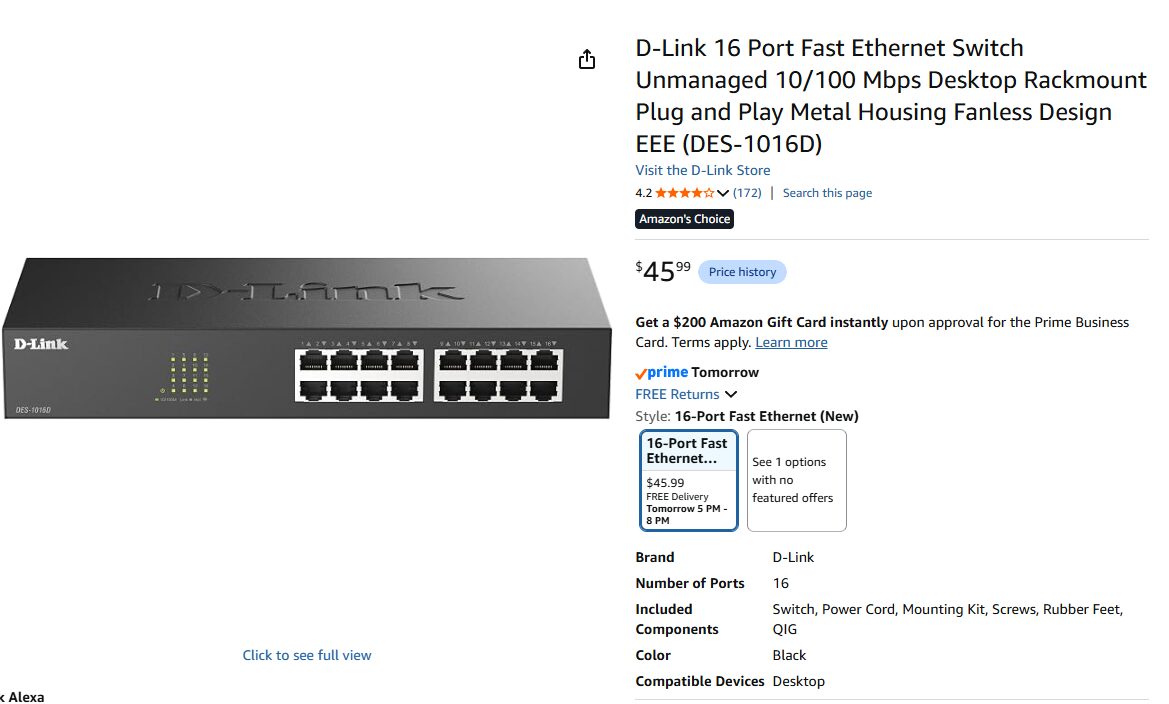
Beware “Fast Ethernet”
This is some very confusing language, but “Fast Ethernet” is the marketing name for 100 Mbps Ethernet. That is 1/10th the speed of Gigabit. Don’t buy anything labeled “Fast Ethernet.”
My internet has a data cap, what should I do?
Depending on the size of your party, and how big your cap is, you might not need to worry much about it. Actually playing games does not use much bandwidth, but downloading them does. There are other things to keep in mind like Windows update running in the background, or players who may have auto updates enabled on Steam. If your data cap is low, and you have lots of players, it may be worth it to look into something called LAN Cache which will cache game updates locally on your LAN, preventing users on your network from downloading from the cloud. I personally have not used this because I don’t have a data cap on my plan, but it is worth looking into if you do.
Alternatively, if your group chooses not to play Steam games (see the section on games below) you can just share the game files on your LAN otherwise (see the section on file sharing below).
Some of my players can’t connect to each other in game, what should I do?
This is a common symptom, and unfortunately it can be caused by a variety of unrelated issues. Here are some things to try:
- Make sure that both players are connected to Ethernet. You may need to manually disable WiFi on the PC to ensure it uses Ethernet. There are too many issues with WiFi to list here, but just know that Ethernet is more reliable for this type of thing.
- On both PCs set the Windows network profile to “Private” and turn on Network Device Discovery. You can find this in the network settings. When these settings are disabled, the Windows firewall can block connections.
- Make sure that both PCs allowed the app through their firewalls. When the app was first launched you would have seen a popup like this:
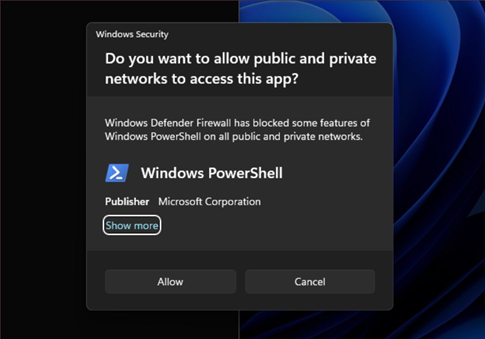
Both machines will have had to accept it. If they denied it by accident, you can fix it in the Windows Firewall settings.
- Disable any VPNs or 3rd party firewalls you may have active. This includes services like Tailscale. Older games often have trouble when these things are installed.
- Try to connect directly via IP address. This is a fallback that many games support but not all. In some games this will be available in the multiplayer menu directly. In some games you will need to open the “developer console” (i.e. most Valve games). In some other games this is only possible with a launch argument when starting the game. Google how this works for the specific game you are playing.
- Make sure that both players are actually on the same network. Get the IP address for both machines (ipconfig command on Windows) and try to ping one machine from the other. If this does not work, then your network is probably misconfigured somehow.
Power
One of the worst things that can happen to your LAN party is popping a circuit breaker. I remember tripping a breaker at an event once, and in the aftermath the whole party lost momentum and everyone just went home. This is a real vibe killer and you want to avoid it.
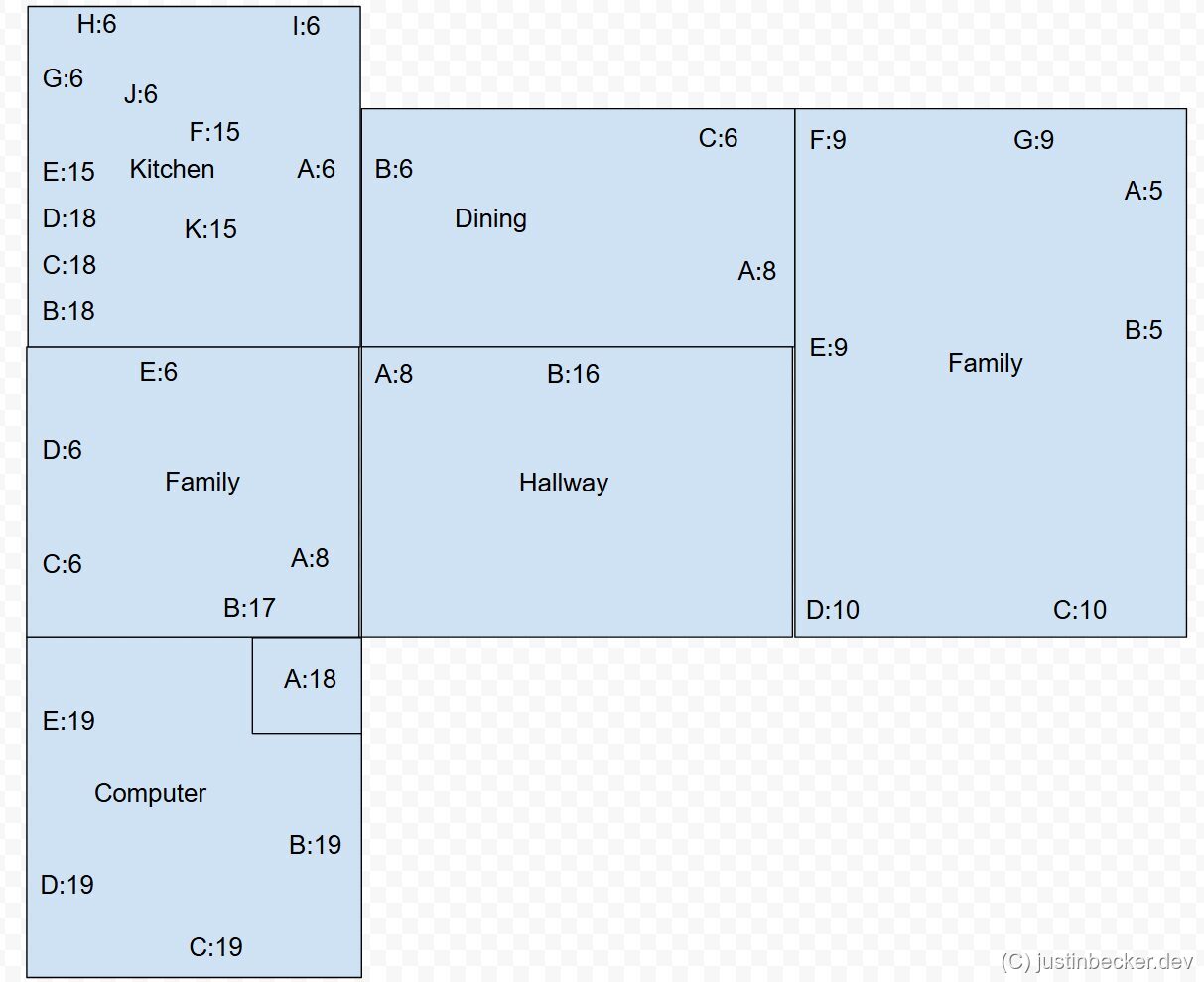
The rule of thumb I use is “no more than 4 desktops on one circuit”. Since laptops use far less power, I go up to 6 on one circuit. Do your best to get the laptops and desktops to intermingle to spread out the load. If you want to be precise about it, a 15 Amp circuit found in most American households can run a maximum of 1,800 Watts. If some players are bringing power hungry rigs, it can be useful to consider that in your planning.
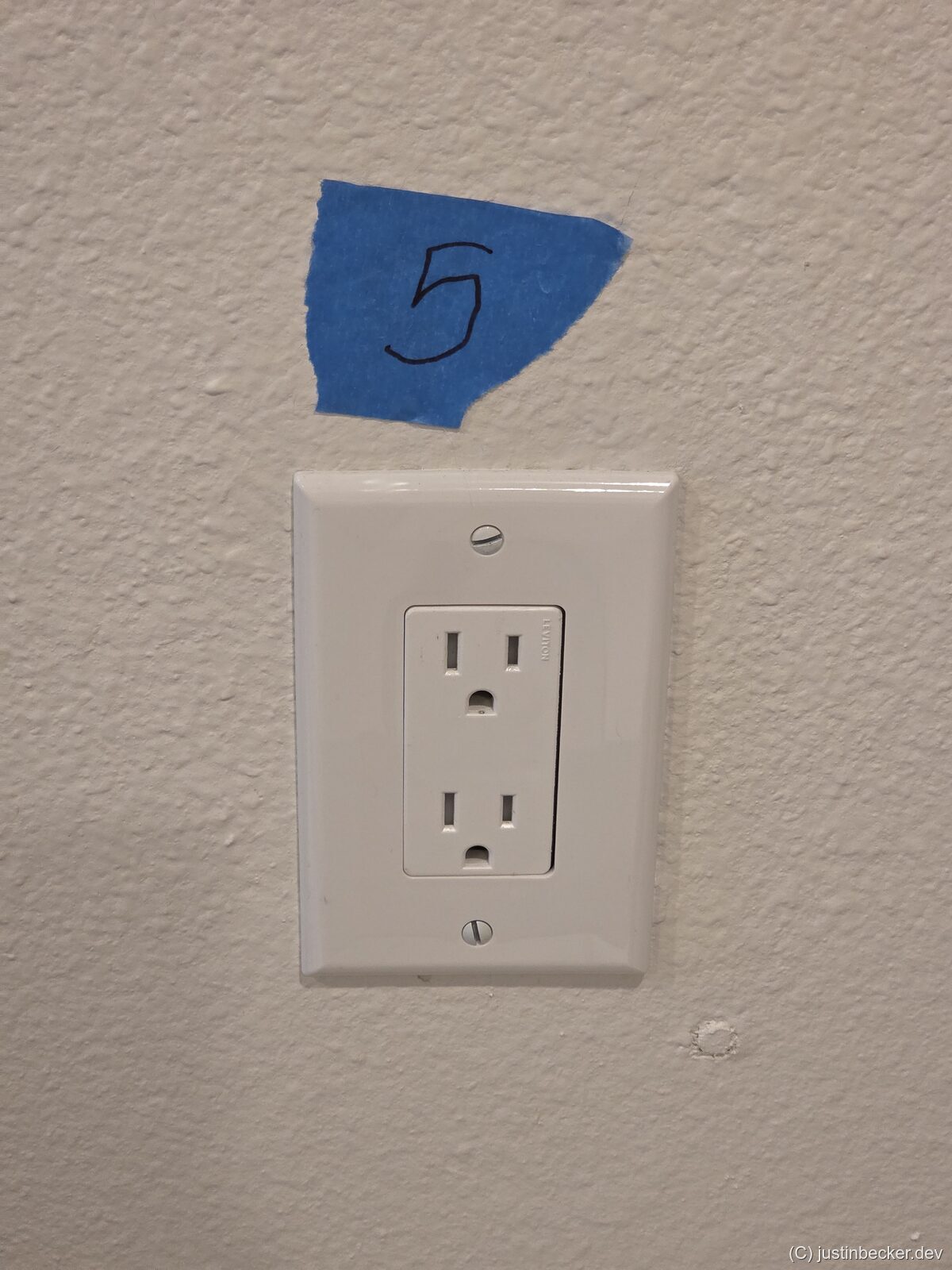
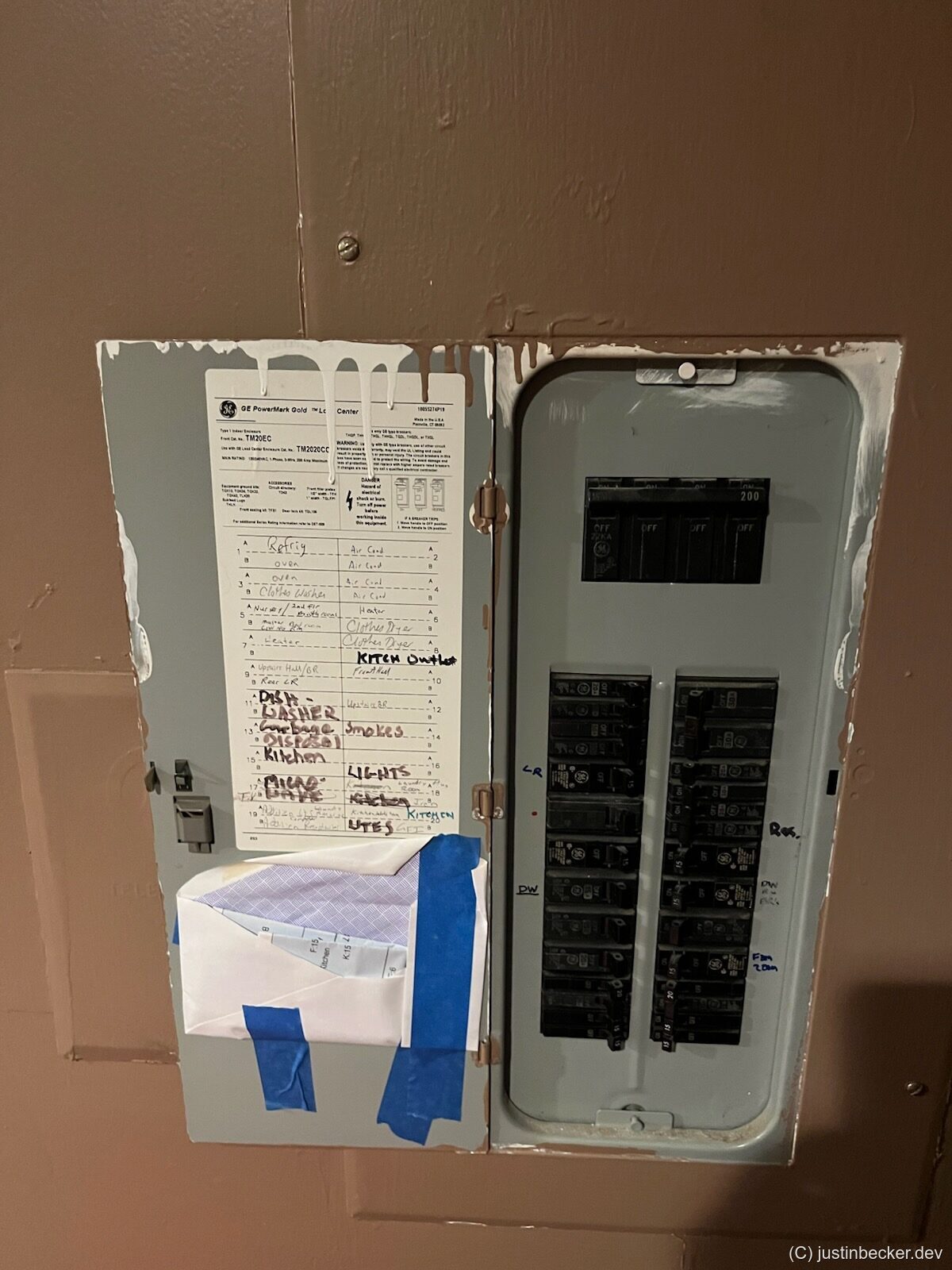
The annoying part is you have to figure out which power outlets in your home map to which circuit. This is a manual process, but you’ll only have to do it once. This is best done with a partner. They will stand by the circuit breaker, and flip the breakers one by one. You will then run around the house trying to figure out which outlets are now dead. You can do this by plugging a lamp in, or by using a dedicated outlet tester like this one. This process is made much easier if you have walkie-talkies, or just stay on speaker phone with whoever is helping you out. Before starting, you should unplug or turn off any sensitive electronics. Once you determine which circuits go to which outlets, use a small piece of painter’s tape to mark it. If you want to avoid this process next time, after the event, when pulling down these tape markers, take note of them. You can use this information to draw a low fidelity map of your house, and which breakers map to what. During this process also take note of where your major appliances are connected (A/C, Water Heater, Furnace, Stove, etc). Most of these heavy appliances will be on their own dedicated circuit, which should be labeled already in your breaker panel. If however they do share a circuit with any outlets, you will need to avoid those outlets.
Day of setup
I recommend having your play space almost entirely set up before your first guests arrive. You may be able to enlist one or two guests to arrive early and help with setup, which I have had success with in the past. If you can, also designate someone tech-savvy among your guests to help with troubleshooting on the day, so you are not running around fixing problems while everyone else is playing. As a rough checklist, I would plan to have all of this done by start time:
- The night before, turn the A/C wayyyyy down in your play space. I set my A/C to 62F (17C). The idea is to not just cool down the air in the room, but also the contents of the room. This should help your room stay comfortable for longer the next day during play. Once play starts, return the temperature setting to normal. On the day of, also avoid running anything that dumps heat into the house: the oven, the clothes dryer, space heaters, etc. Every BTU those appliances put out is heat your A/C has to fight against.
- Set up tables and chairs in roughly the final layout. Ensure that every player will have a walking path to the food, and the bathroom. If you have time, sit down in every chair at least once to make sure that player will have enough space.
- Map out which outlets correspond to which breakers.
- Run extension cables from the outlets you identified in the previous step, and tape down the wires using masking tape to prevent tripping.
- Run an Ethernet cable from your Cable/Fiber modem to the play area, and connect it to your Ethernet switch.
- Set up your own PC, and smoke test your power and networking.
- Tape down any wire, extension cord, or power strip that might move or be a tripping hazard. Go crazy with it.
- Designate a dumping spot for shoes, jackets, backpacks, or anything else your guests are bringing with them that they won’t need at their seat. A coat closet, or spare room works nicely here.
- If you have pets, it may be a good idea to stow them away while your guests are coming and going, which could frighten them. You can think about letting them out once everyone is settled in, depending on the temperament of the animal.
You can of course do more than this, but this is just the basics. One time I went so far as to pre-run custom length Ethernet cables to each player’s seat. I have also heard of organizers allocating particular outlets to each player. The sky is the limit here. The point of pre setup is to save time in the chaos once your guests show up, so you can play more games.
It also helps to keep spare gear on hand. Stuff like mice, keyboards, mousepads, AA batteries, ethernet cables, display cables, xbox controllers. People forget things like this and you’ll be a hero day of.
At the end of the night, ask for cleanup help and give specific direction. Most people are glad to pitch in if they know what to do.
What should guests bring?
- Their PC or Laptop. Laptops are preferable: they take up less space, are more portable, and use less power.
- If the user is on a desktop, they will need to bring a monitor. No ultrawides. Space is at a premium at a LAN so you should only allow one normal sized monitor per player.
- All of the cables they might need. Power, ethernet, display, etc.
- Headphones. Do not allow your guests to use speakers out loud at the event. That would be a complete disaster. You won’t need voice chat either for that matter, for a group of this size you should be able to just shout to the whole party at once.
- Snacks and drinks to share. Beer, soda, chips, cookies, energy drinks, etc.
- This is optional, but some players may like to have a controller of some sort at their battlestation. This is also relevant if you are planning on playing console games.
- Anything you don’t have enough of already. If for example you need a couple more folding chairs, ask around to see if anyone can bring some. Very important: you must make sure to assign the task of bringing these items to a specific person explicitly. If you ask the whole group, people have a bad habit of just assuming that someone else will take care of it.
What games should we play?
Unironically, this is the hardest part of planning a LAN party. While I can’t say for certain that I have the right answers for your group, I’ll lay out a couple of rough guidelines.
- Avoid competitive games. If you play e-sports titles, you might find a large skill gap between your best and worst players. For example, one time we played StarCraft II. There was one guy at the party who had played for thousands of hours, and even in a 4v1 he stomped us. It was hard to make that fun for anyone. e-sports games can be fun, but only if the skill levels are roughly on the same playing field.
- Choose casual games. You want games that are easy to jump in and out of, with short match times. This contradicts my previous point, but Rocket League is a great LAN party game. Even though the skill gap can be enormous, matches are very short, so you can quickly rebalance things to be more fun.
- Avoid modern AAA games. This one is more situational, but it has always applied to the groups I have played with. You may not know ahead of time exactly what hardware everyone is bringing, so if you try to play the new Call of Duty or Battlefield, you may run into issues with low-spec machines. If you do want to play something AAA, aim for games at least 10 years old so that everyone’s hardware can run it.
- Try for a mix of genres. I like to have a shooter, a strategy game, and a racing or sports game.
- Add in some novelty games. Alongside the typical shooters and strategy games, throw in something silly. We have had good fun playing Golf With Your Friends, Worms, and Teeworlds over the years. Just try to mix it up.
- To level the skill gap, try playing games that none of your players have tried before. Weird indie games are a great choice for this. If everyone is struggling with the controls at the same time, it adds a certain camaraderie as you all learn the game together.
- Avoid playing long, involved games unless everyone at the LAN is into it. For example, Civilization is a great multiplayer game, but each match takes hours, and the game is not friendly to beginners. Another good example is Factorio. Only play games like this if your whole group is already familiar with it.
- Games with high player counts can be challenging. For example, Battlefield supports up to 64 players, but if you put 16 players on a map designed for 64, it will feel empty and boring. One option in these games is to play co-op versus bots, but that is game-to-game dependent, since in many games the bots are too stupid to be fun to play against. Do your research ahead of time.
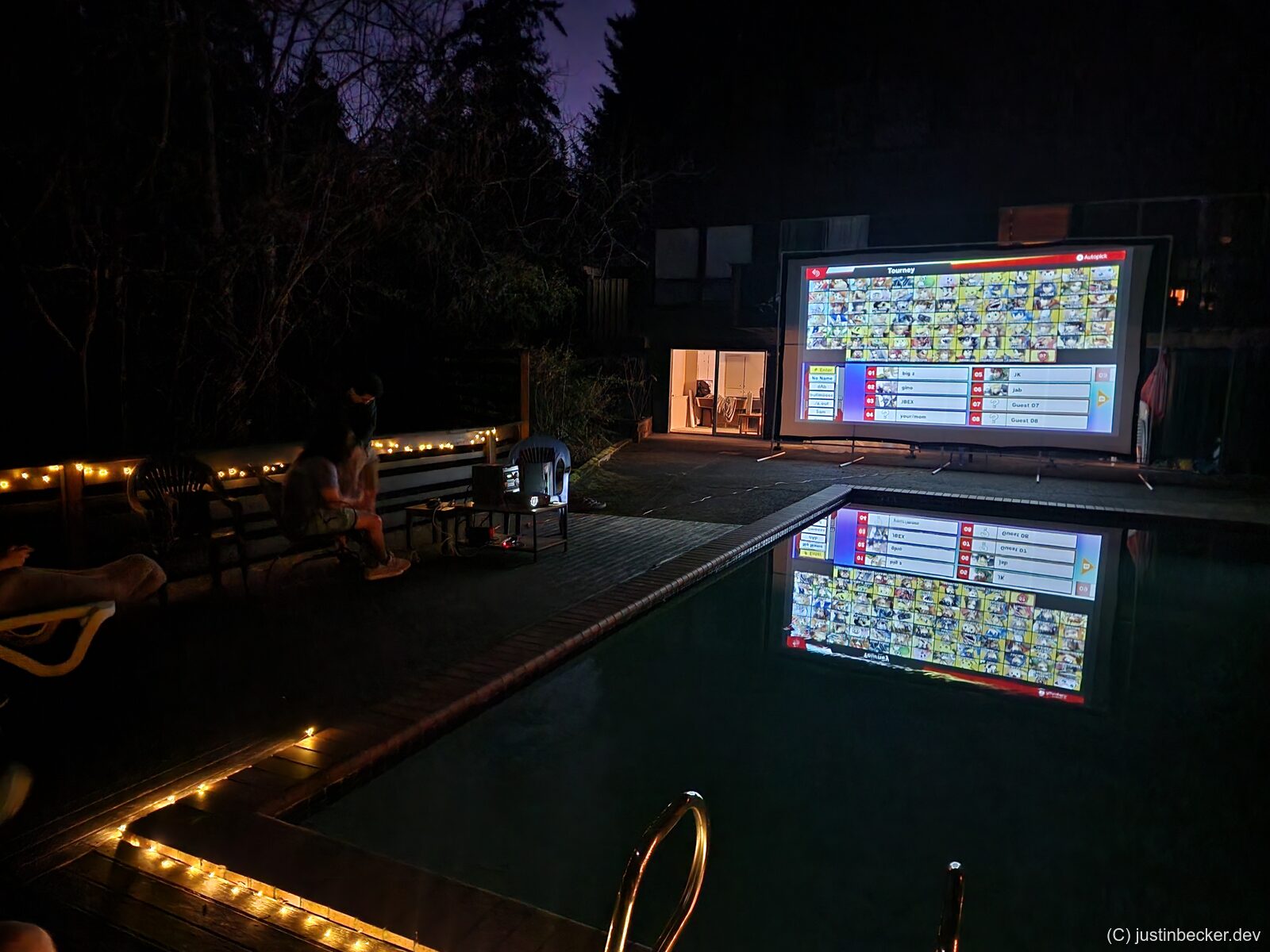
- Don’t be afraid to throw in some console gaming. Mario Kart and Super Smash Bros. are both good additions.
Do the games have to support LAN directly?
No. These days fewer and fewer games support “true” LAN multiplayer, but that doesn’t really matter. As long as your internet connection is reliable, you shouldn’t have any problems all playing online together.
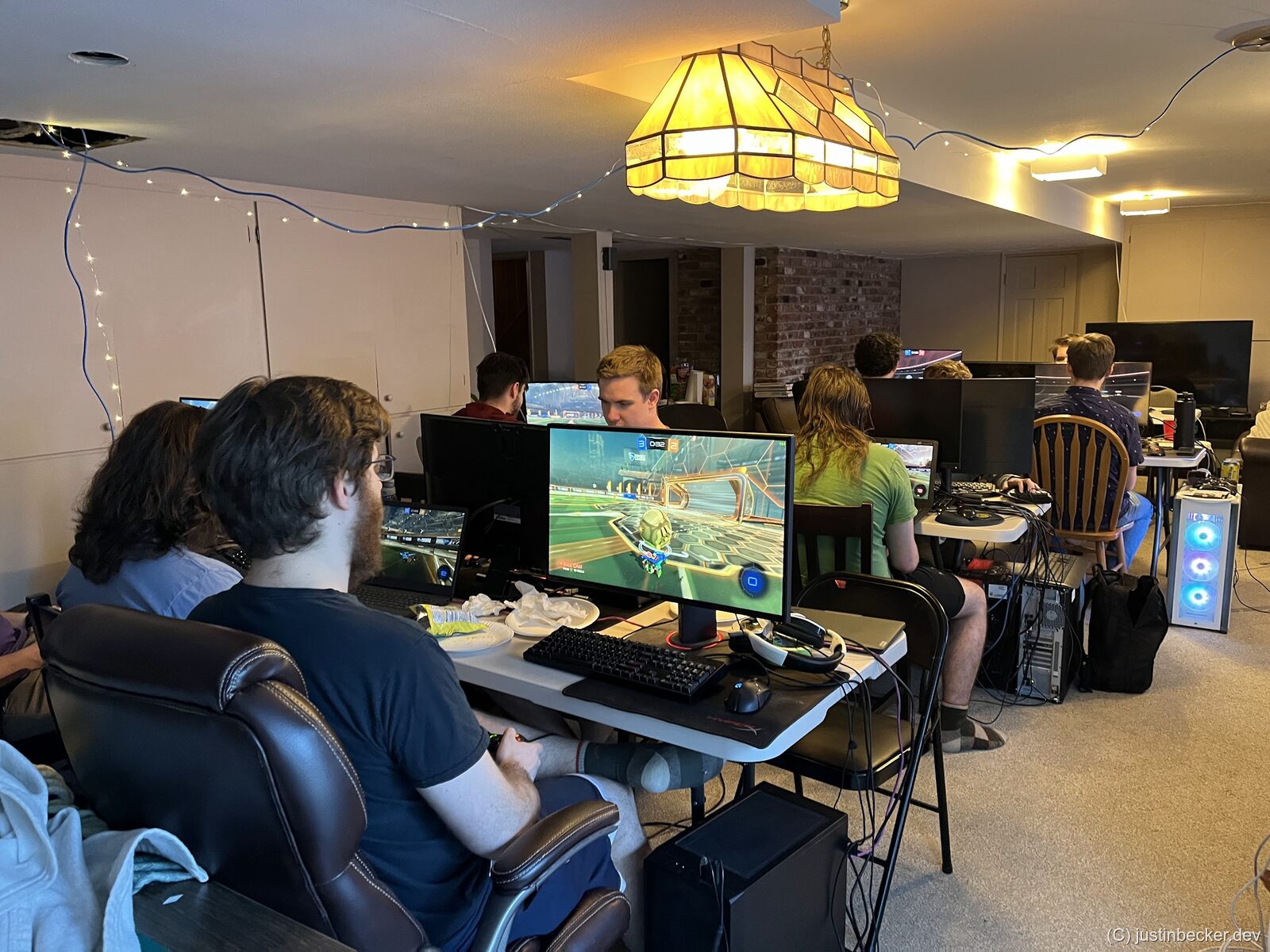
How do I convince everyone to play all of the same games?
In short, you can’t. I do my best to encourage all of my players to join in on the group activity, but sometimes there’s an odd man out. Do your best to apply gentle pressure to get everyone on board, but it’s not catastrophic if one or two players sit a game out. With that said, it is key that you prevent the party from splintering. Do your best to keep a critical mass of players together. If you form two groups, it can be hard to get momentum back, and people may head home early.
However, if a player spends the whole time playing by themselves, you may need to intervene. Either they feel awkward and don’t want to ask how to join in, or they’re antisocial and don’t want to play with the group. If it’s the former, a bit of handholding can rescue the situation. If it’s the latter, you should consider not inviting that player in the future. LAN parties at this size survive on vibes, and even a couple of refusers can alter the social flow of the event.
Where should we get the games?
If possible, you want to play free or DRM-free games. That way it is easy for all of your players to obtain a copy of the game. Read the section below on “File Sharing” for more detail on how to get the game downloaded on everyone’s computer. In my experience, it can be hard to convince players to purchase games for the event. As I have gotten older it has become easier, now that all of my friends have jobs, but if you are a teenager you will have trouble convincing people to spend a dime. A couple of tricks that have worked for me:
- Get DRM-free games on GOG or itch.io and distribute them locally.
- Play free-to-play games that anyone can download, either on Steam or elsewhere online.
- Schedule your party for the weekend of a Steam sale, so that there are plenty of games available for cheap.
- Play older games that allow everyone to play with one CD key.
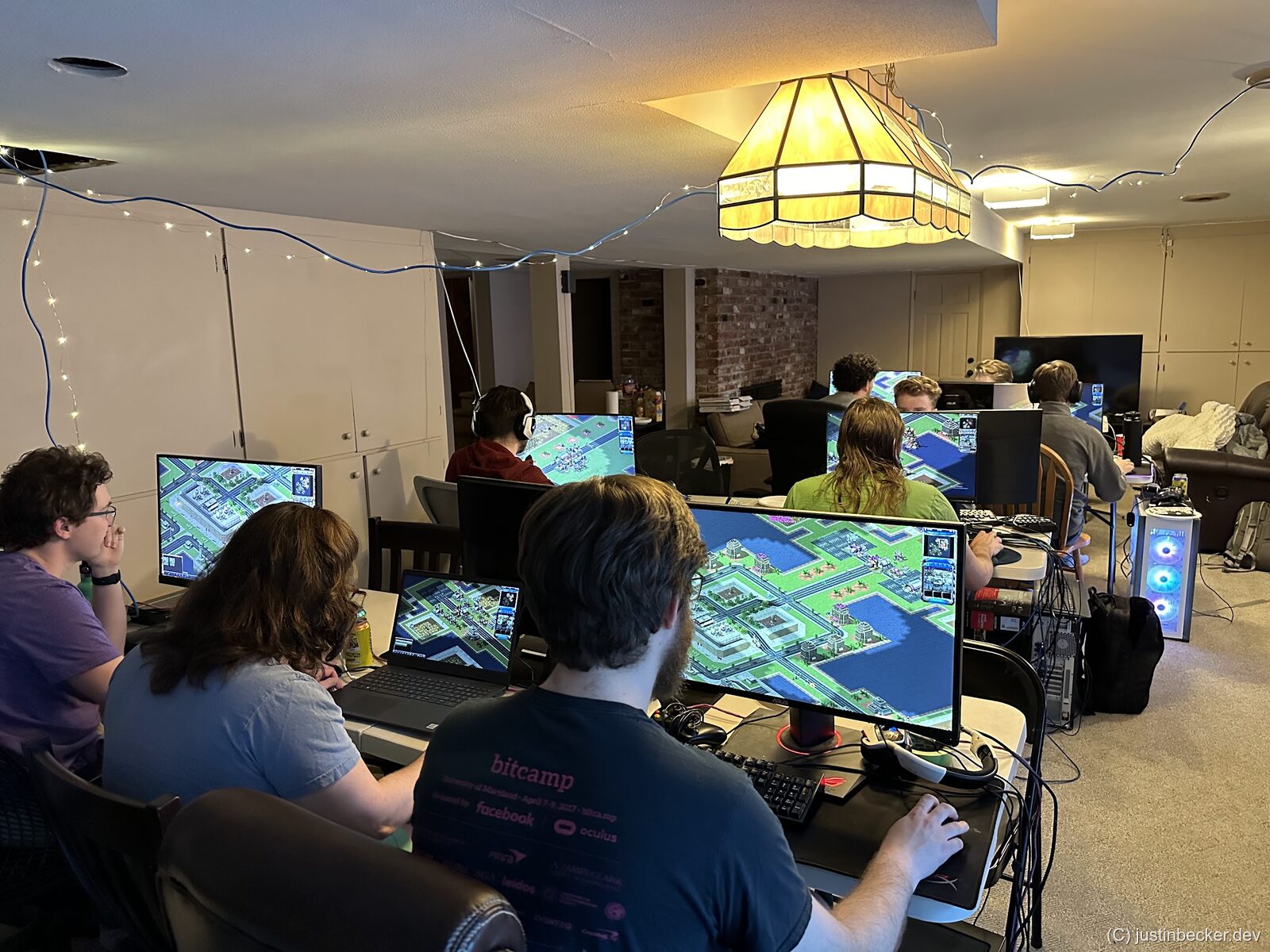
How do I convince everyone to download the games?
In my experience, it is nearly impossible to convince your guests to download or install the games ahead of time. Even if you send out a game list in advance, you should be prepared for almost all of your guests to arrive without the games downloaded. For this reason, I recommend sticking to games with smaller install sizes and simple installation processes, since your guests are likely going to be doing all of this on the day of. For more detail on how to get the game files to everyone, skip ahead to “File Sharing”.
Don’t tease us man, what games have you actually played?
Here’s a list, in no particular order:
- Rocket League
- Counter-Strike: Source
- CS2
- TF2
- Left 4 Dead
- Civilization IV, V, & VI
- Artemis Cosmos (sequel to Artemis Bridge Simulator)
- Mean Greens: Plastic Warfare
- Worms Armageddon
- SWAT 4
- Rome: Total War
- Golf With Your Friends
- Golf Gang
- Super Battle Golf
- Teeworlds
- DEFCON
- Re-Volt (RC racing game)
- Command & Conquer: Red Alert 2
- OpenRA (Modernized Command & Conquer)
- StarCraft II
- Age of Empires II
- Star Wars Jedi Knight: Jedi Academy
- ElDewrito (Halo 3 multiplayer)
- Garry’s Mod
- Trackmania
- Pummel Party
- Call of Duty: Modern Warfare 2
- Call of Duty: World at War
- Armagetron Advanced
- Ace of Spades (Classic)
- Quake III Arena
There are also a number of community maintained lists, if you want inspiration:
- PCGamingWiki: List of games with LAN multiplayer
- r/lanparty: What are the most enjoyable LAN games?
- LAN Party Wiki: List of Recommended Games
- LAN games spreadsheet
- zuggamasta’s LAN knowledge base
- Giant Bomb: Top LAN party games
How should everyone download the games?
This is also a tricky one. You may be tempted to assign “homework” to your guests to install all of the games you want to play ahead of time. In my experience, this does not work very well. You will be lucky if your players show up at all, much less do a checklist before they head out. I have experimented with packaging all of the games together so that my players only need to download one big file, but even this they refused to do. What I recommend is planning on almost all of your players attempting to download the games on the day of. To that end, prepare the game files so that you can easily share them with all the players quickly. Read “File Sharing” below for more detail.
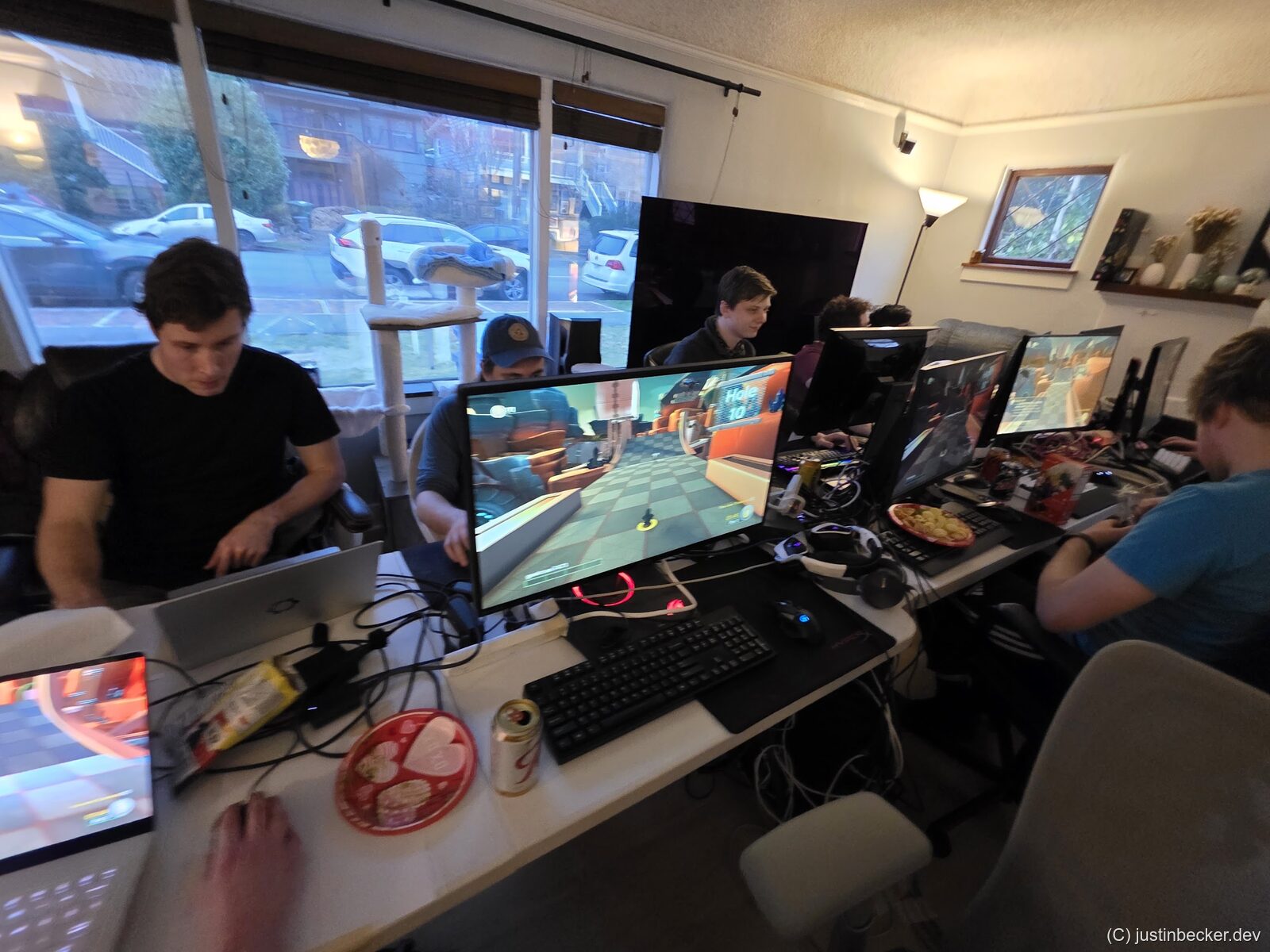
What about Linux gaming?
While Linux gaming has improved substantially over the last couple years, do what you can to encourage your players to only bring Windows PCs to the event. In my experience, Linux players have tons of technical problems that you don’t want to deal with. At a LAN last year one of my players showed up with a Linux laptop and spent the whole time just trying to get his USB-C to Ethernet dongle working. Since I am suggesting that you bring all of the games to play, you should also be testing the games on Windows machines. Attempting to test that these games will work on all of the various distros, window managers, and combinations of the two is insane. The one exception to this rule, is if you are hosting a LAN for a single game, then it’s reasonable to spend some time fixing bugs. At my LANs we like to play a mix of games, so wasting time on tech setup will be multiplied by the number of games you play.
If you and your group are Linux absolutists, feel free to throw a Linux LAN party! But if you actually want to play games during the LAN, I recommend Windows.
What about tournament play?
Tournament style play can be a lot of fun, and I have fond memories of this in years past. If you want to do a tournament, I reccomend either using a physical whiteboard for tracking the bracket, or just using Challonge. I have no relationship with Challonge. I have used them for years and have always had a good experience. In either case, make sure that the bracket is displayed prominently somewhere, perhaps on a spare TV or monitor, so that all of your guests can easily eyeball the tourney state.
As far as structure, I reccomend keeping it relatively simple so that all of your players can understand what is going on. Double elimination is also preferable so that more of your players stay in it for longer. One danger of tournament play is that losing players may become disengaged. To that end, prefer tourney play with short round games. Smash Bros or Rocket League are good examples here.
When you get to the last couple matches of the tournament, try to build hype around the match to keep the energy up. Get your attendees talking smack about who they think will win. A bit of rowdiness here goes a long way.
File Sharing
In the olden times, one of the beauties of a LAN was swapping files across the high-speed network. Remember that back then a 10 Mbps Ethernet connection was more than 100x faster than the 56k modem you had back at home. These days sharing files is not as much of a draw, but it can still be a useful tool for a successful LAN.
🏴☠️☠️⛵?
I don’t personally condone piracy (and it’s worth reiterating that the opinions on this blog are my own and not endorsed by my employer) however playing games that have been modified to be “DRM free” so to speak, is common at LAN parties. Just proceed with caution if you go down this path. It is possible to do this safely, and playing these “DRM free” games can make running your party much easier since you won’t have to deal with accounts, launchers, installers, etc. If you do some searching online you can find plenty of games for this use case, and that’s all I will say about that. Mum’s the word and all that.
How can I get the files to everyone?
There are a number of ways you can do this, and many of them are bad. I wrote an article about this a couple months ago, so I don’t want to reiterate too much of it here: Why I built LANBucket.
To expand slightly, the most obvious solutions all have major flaws.
- Using flash drives is inconvenient.
- Network file shares have compatibility problems with modern versions of Windows.
- Web servers like Caddy bottleneck on the speed of the server hosting the files, and required configuration ahead of time.
- File sharing apps like LocalSend or AirDrop are also 1-to-many which means file sharing is slower.
- Other peer to peer apps like D-LAN and DC++ are complex and may scare off your less technical users. Also these tools suffer network performance problems when all of your guests are downloading at once.
To quickly, and easily, get the files to everyone, I use LANBucket. Full disclosure, I wrote LANBucket so I am biased, but I do think it’s the best way to get the games to everyone. The basic idea is everyone installs LANBucket on their computer, and then the software automatically finds all of the other users. To share a file, just click and drag it in. LANBucket uses a BitTorrent based protocol so transfers are distributed many-to-many, meaning the transfer will be fast even if everyone is downloading the files at the same time.
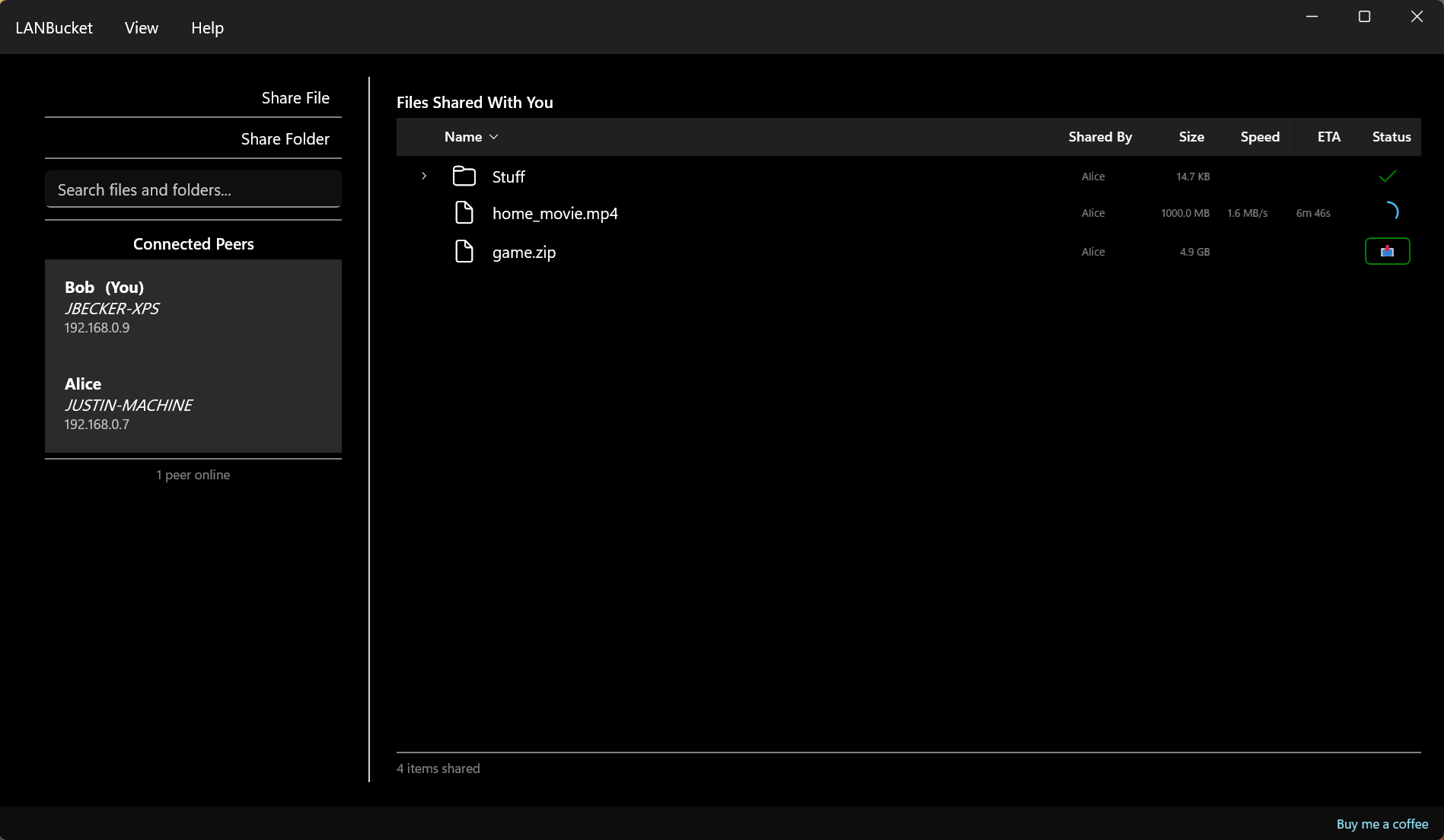
At time of writing LANBucket does not support Linux, so if that is important for you, you should consider D-LAN instead. It’s the closest thing to LANBucket that I know of, and was a major inspiration for the LANBucket project. If everything goes right, I should have Linux support ready in LANBucket by the end of 2026, so check back in then :)
Some notes about Steam
Steam is by far the most popular game marketplace on PC, and it has two undervalued features that are killer for LAN parties.
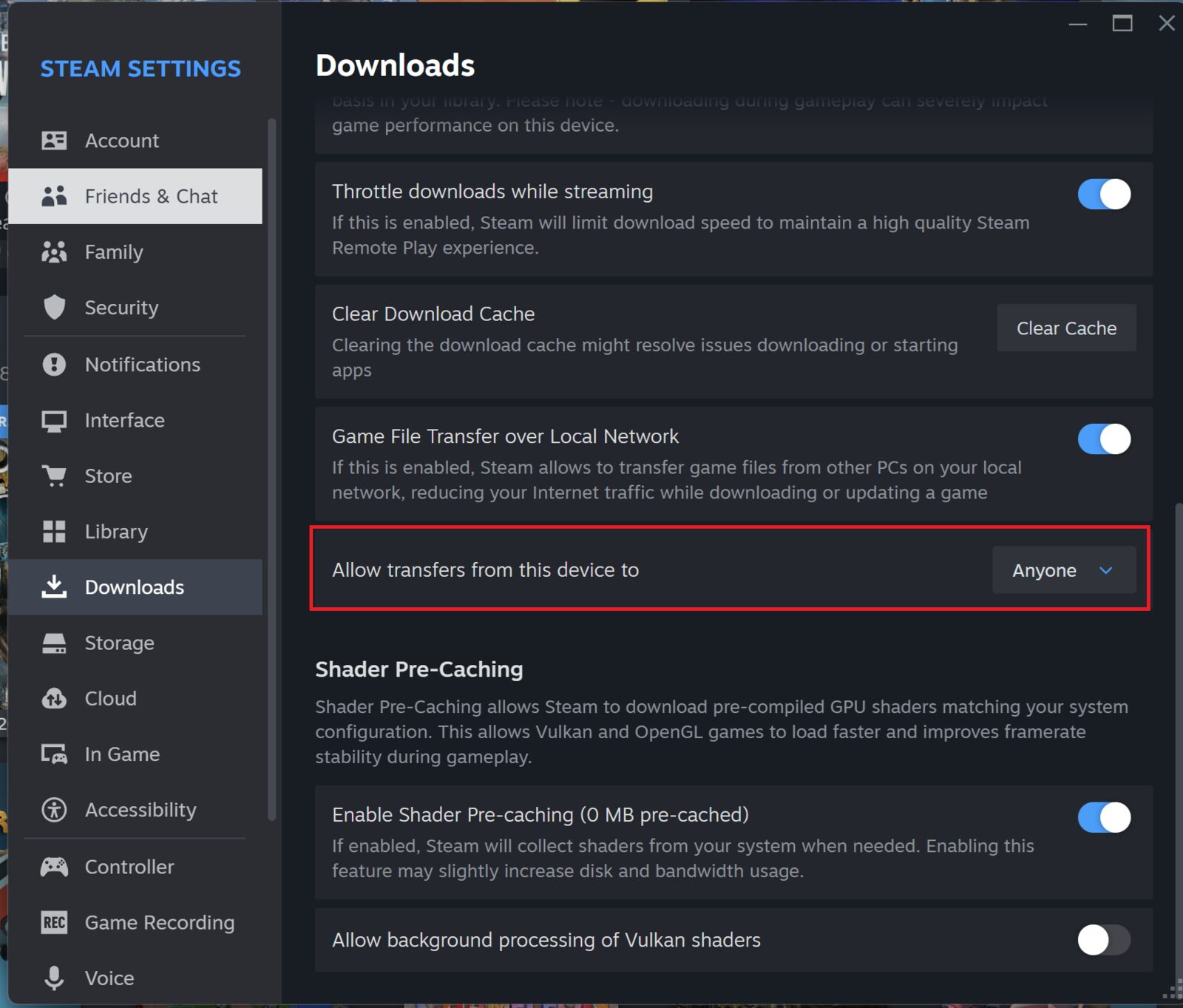
The first is Local Transfers. This feature, when enabled, allows players to download Steam games from other players on the local network instead of from the cloud. This is great for the case where most of your players have the game already, and you’ve just gotta get it to one or two stragglers. If you want to use this, make sure to turn on this setting on all the machines:
Another useful feature is Game Backups. By having one player backup the game on their computer, you can then share the backup file using other file sharing software to all of your guests, and then your guests can all “restore” the backup on their computer. It is useful in a pinch when you want to share a Steam game using software like LANBucket.
One last note: most Steam games don’t actually need to be installed via Steam to work correctly, they just need Steam running, and for the user to own the game on Steam. That means you can just copy the game folder onto the other player’s computer directly, without using the Steam client. This is helpful when used alongside software like LANBucket (or D-LAN etc). I have tried this for a bunch of Steam games, and it has worked for many of them, but your mileage may vary.
Food and beverage
I recommend you keep this simple. Get pizza delivered. Assume roughly 2.5 slices of a large pizza per player. You should also buy plenty of other junk food: potato chips, cookies, pretzels, etc. If you are a Costco member, I recommend doing a run before the event to stock up. Another hack you can do, depending on the quality of delivery pizza in your area, is buy Costco pizzas for the party. They are cheap as hell, and just as good as Domino’s or the other chains. If you live in a part of the country that has good pizza, just go to your local joint.

If you are splitting costs with your guests, collect money via Venmo before placing the order, not after. Chasing people down for reimbursement after an event is awkward. If you and your guests are employed, it may be less awkward if you don’t ask for money at all. If you don’t ask for money for pizza, then you can ask your guests to bring snacks without guilt, just try to give some guidance on what to bring so you don’t end up with 20 bags of potato chips.
Also worth mentioning that calling deliberate food breaks a couple times during the day also works well since it gets everyone away from their screens and talking. Try to time this for a natural break when everyone is wanting to switch games anyway.
No hard alcohol
I’m no teetotaler, but in my opinion liquor is not the right fit for a LAN. You want your players slightly buzzed, but not wasted. If they get too drunk they will stop wanting to play, and just mill around aimlessly. Beer, seltzers, and the like are good, but try to keep your players right around their Ballmer peak:

With that said, energy drinks and Mountain Dew are a LAN party staple, and an absolute must-have. Also, if you are under 21, don’t drink. It’s illegal, etc., etc. Favor cans and bottles over solo cups since a tipped drink, which will happen btw, can really ruin your day when mixed with all the electronics. For the same reason, avoid snacks that leave residue on your fingers, Cheetos for example, unless you want to be cleaning everyone’s gamer gunk off of everything.

Conclusion
I hope this was a useful guide. I love LAN parties, and I want more people out there to get to experience them. Gaming IRL has a vibe that you can’t match playing on Discord.
One last note: make sure to take lots of photos and videos, and encourage your group to do the same. Afterwards, create a shared Google Photos album and send the link to all of your guests so they can contribute their shots. You’ll want to cherish these memories, trust me.
Thanks
- Thanks to u/plfg6423 for reminding me about the issue of data caps